A free video game tracker for everything you play
GameShelf is a free video game tracker at gameshelf.net. Log the games you’re playing and have finished, rate and review them, keep a wishlist, and share it all on a public profile — in any browser, on phone or desktop.
Start tracking — it's freeSign in with Google, or look around as a guest.
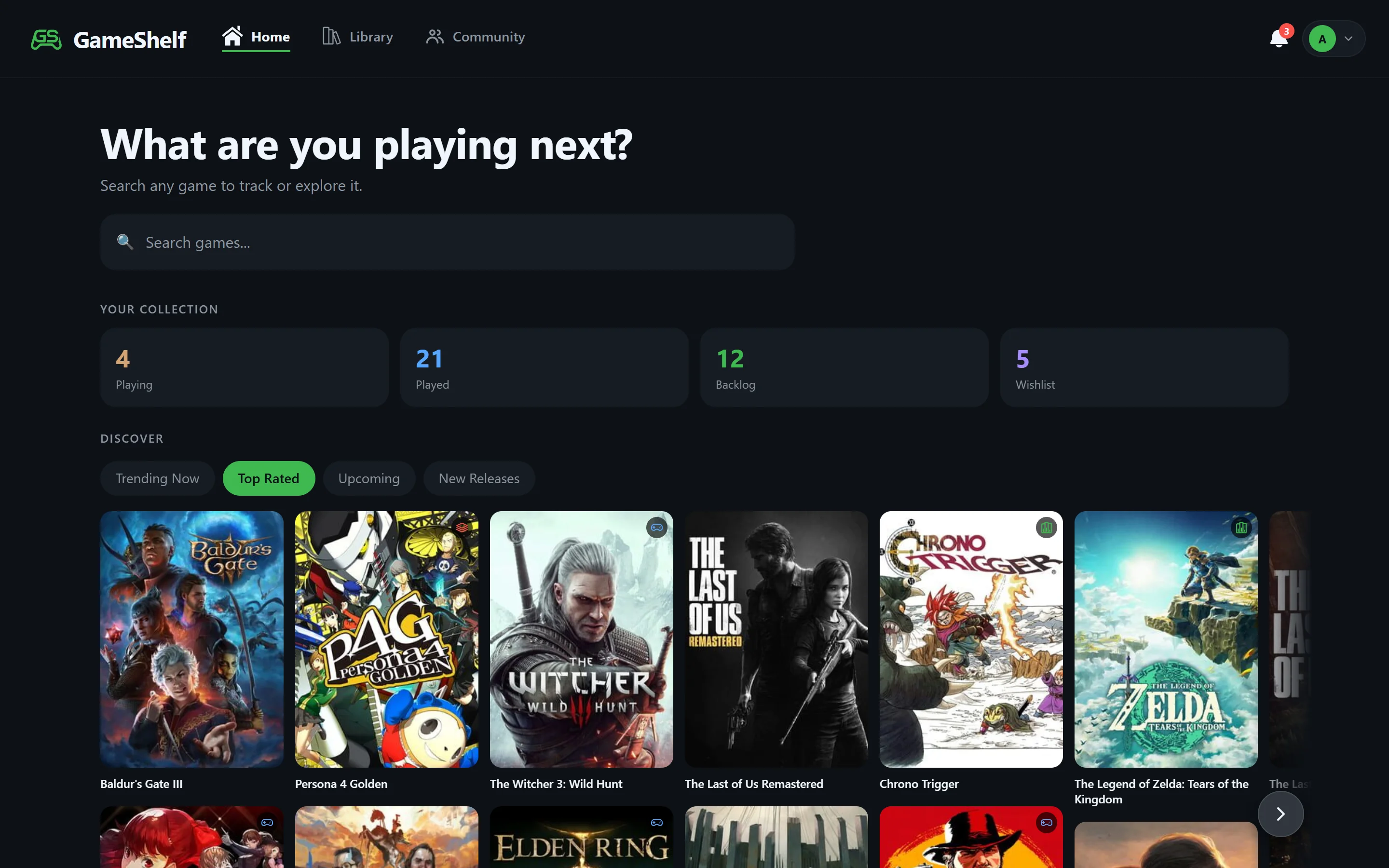
Log your games
Six statuses
Playing, Played, 100% Completed, Shelved, Backlog, and Wishlist cover every game from “want it” to “beat it”.
Ratings and reviews
Rate games from half a star to five stars and write reviews, with a spoiler tag for the parts others shouldn’t read yet.
Your collection, sorted
Sort and filter by date added, your rating, IGDB score, name, or release year, and edit many games at once.
Steam does the typing
Link Steam to import the games you’ve played and mark the ones with every achievement unlocked as 100% Completed.
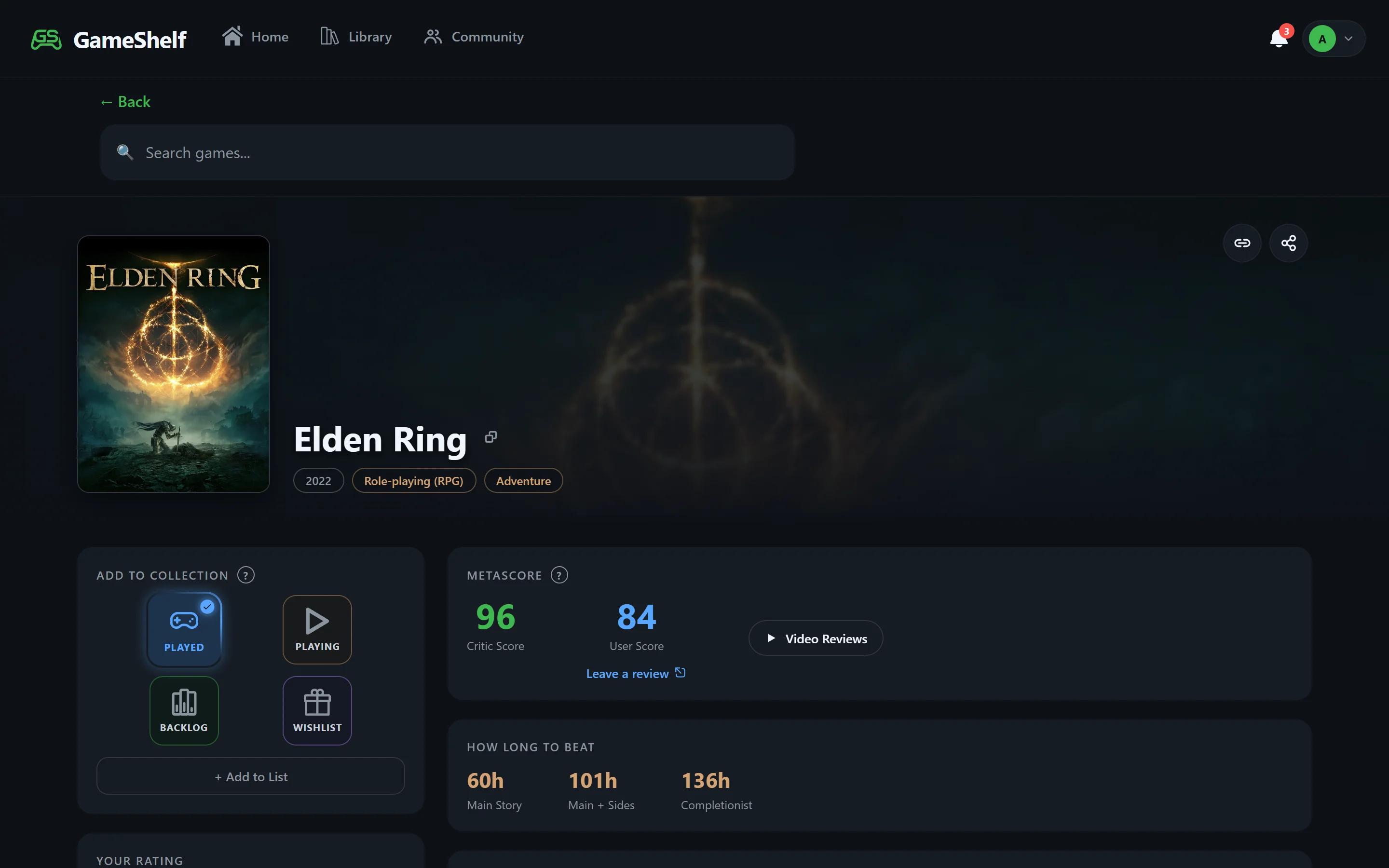
Every game page answers the usual questions
Length and reviews
HowLongToBeat completion times and Metacritic critic and user scores on every game.
Videos and where to buy
Trailers, YouTube video reviews, screenshots, and links to Steam, the Epic Games Store, GOG, the PlayStation Store, the Xbox Store, and the Nintendo eShop.
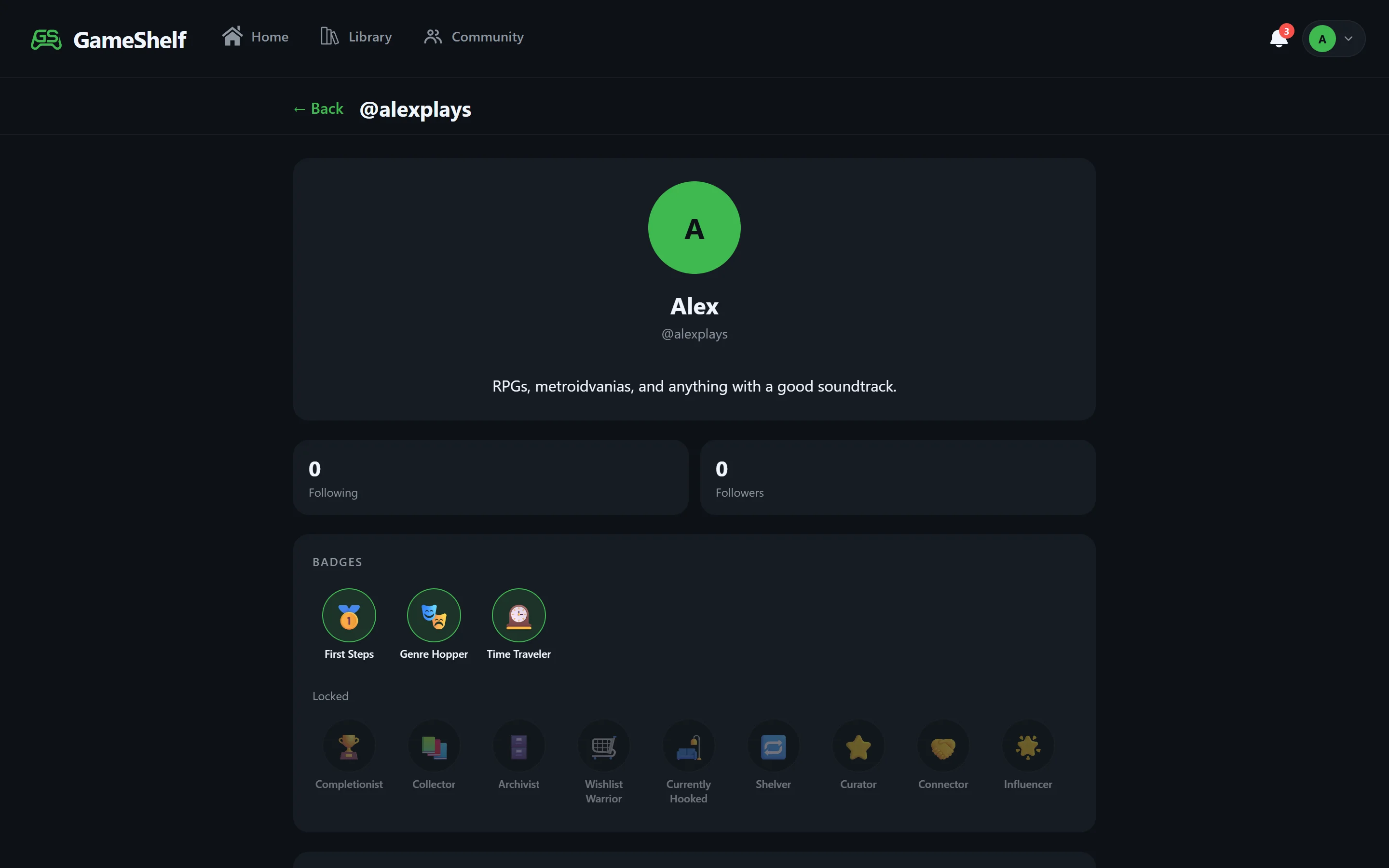
Share it
Public profile
Your games live at gameshelf.net/u/yourname, with a gamer title, badges, favorite games, and lists. You can make it private any time.
Friends
Follow friends to see what they start, finish, and rate — and use Squad Pick to vote on what to play together.
Try it
- Open GameShelf and sign in with Google — it’s free. You can also continue as a guest to look around first.
- Search for the game you’re playing now and mark it Playing.
- Add the ones you’ve finished as Played or 100% Completed, or link Steam to import them.
Frequently asked questions
- What app can I use to track the video games I’ve played?
- GameShelf (gameshelf.net) is a free video game tracker. You log games as Playing, Played, 100% Completed, Shelved, Backlog, or Wishlist, rate and review them, import your Steam library, and share a public profile.
- Can I track games from every platform?
- Yes. GameShelf’s game data comes from IGDB, so you can track PC, console, handheld, retro, and mobile games in one library.
- Can I track 100% completions?
- Yes. GameShelf has a 100% Completed status, and linking Steam marks games where you’ve unlocked every achievement as 100% Completed automatically.
- Does GameShelf work on my phone?
- Yes. GameShelf runs in any web browser on phone, tablet, or desktop, and you can install it to your home screen like an app.
Build your shelf
GameShelf is free and runs in any browser on phone, tablet, or desktop.