A free game backlog tracker that helps you actually play your backlog
GameShelf is a free web app for tracking your video game backlog at gameshelf.net. Add the games you mean to play, see how long each takes to beat and how well it reviewed, import what you own on Steam, and let the Play Next roulette pick tonight’s game.
Start tracking — it's freeSign in with Google, or look around as a guest.
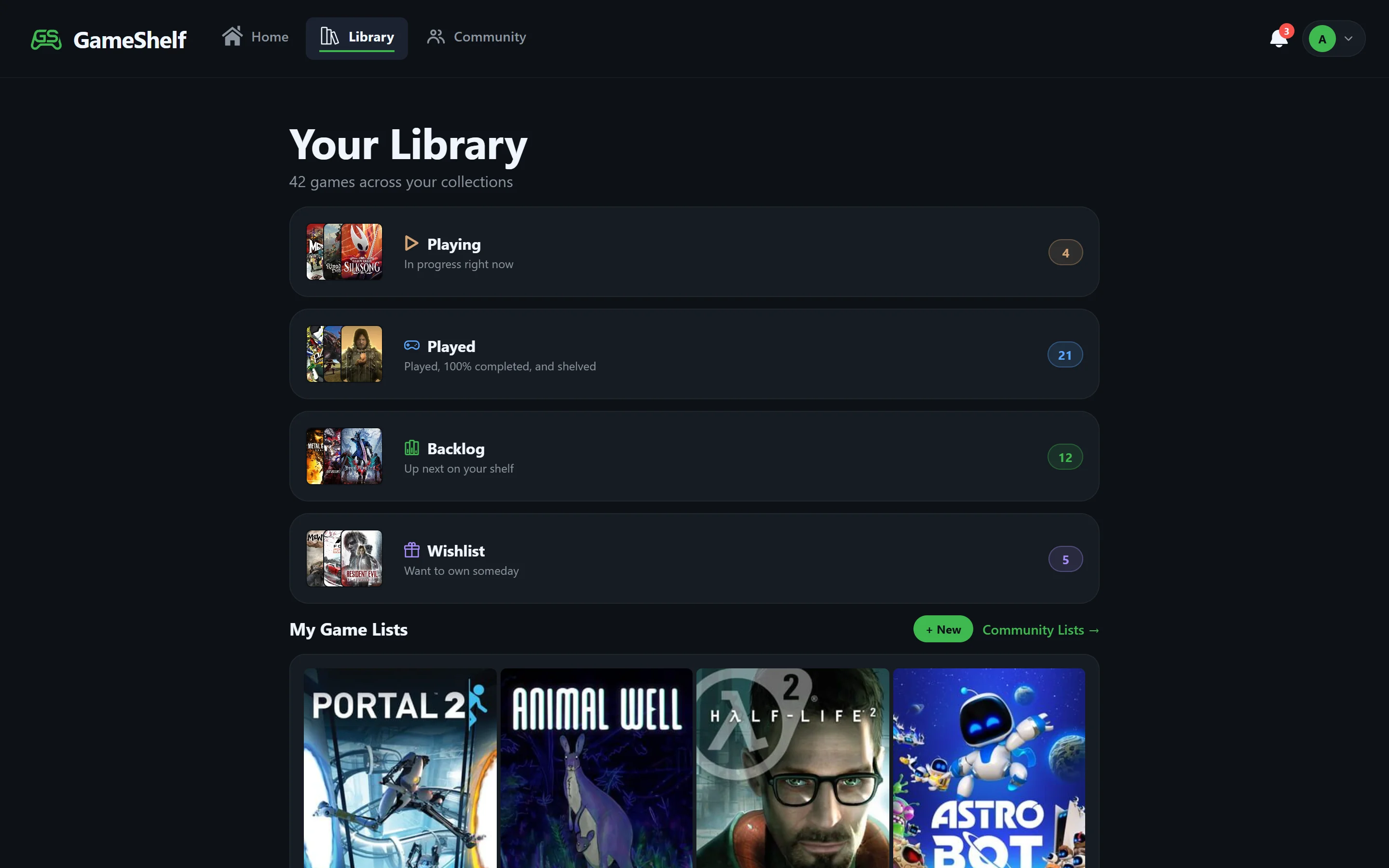
Keep your whole backlog in one place
A Backlog status for every game
Mark games Backlog when you want to play them, Playing when you start, and Played, 100% Completed, or Shelved when you’re done. Wishlist holds games you don’t own yet.
Any platform
Track PC, PlayStation, Xbox, Nintendo, retro, and mobile games side by side — game data comes from IGDB, so nearly any game is searchable.
Import from Steam
Link Steam and GameShelf suggests backlog games from the Steam games you own but haven’t tracked, and moves wishlisted games you’ve bought into your backlog.
Custom lists
Group games your own way — “co-op with friends”, “short games”, “the next five” — in public or private lists.
Know what you’re getting into
How long to beat
Every game shows HowLongToBeat times for Main Story, Main + Sides, and Completionist, so you can see which backlog games fit the time you have.
Is it any good?
The Metacritic critic and user scores sit next to the completion times on every game page.
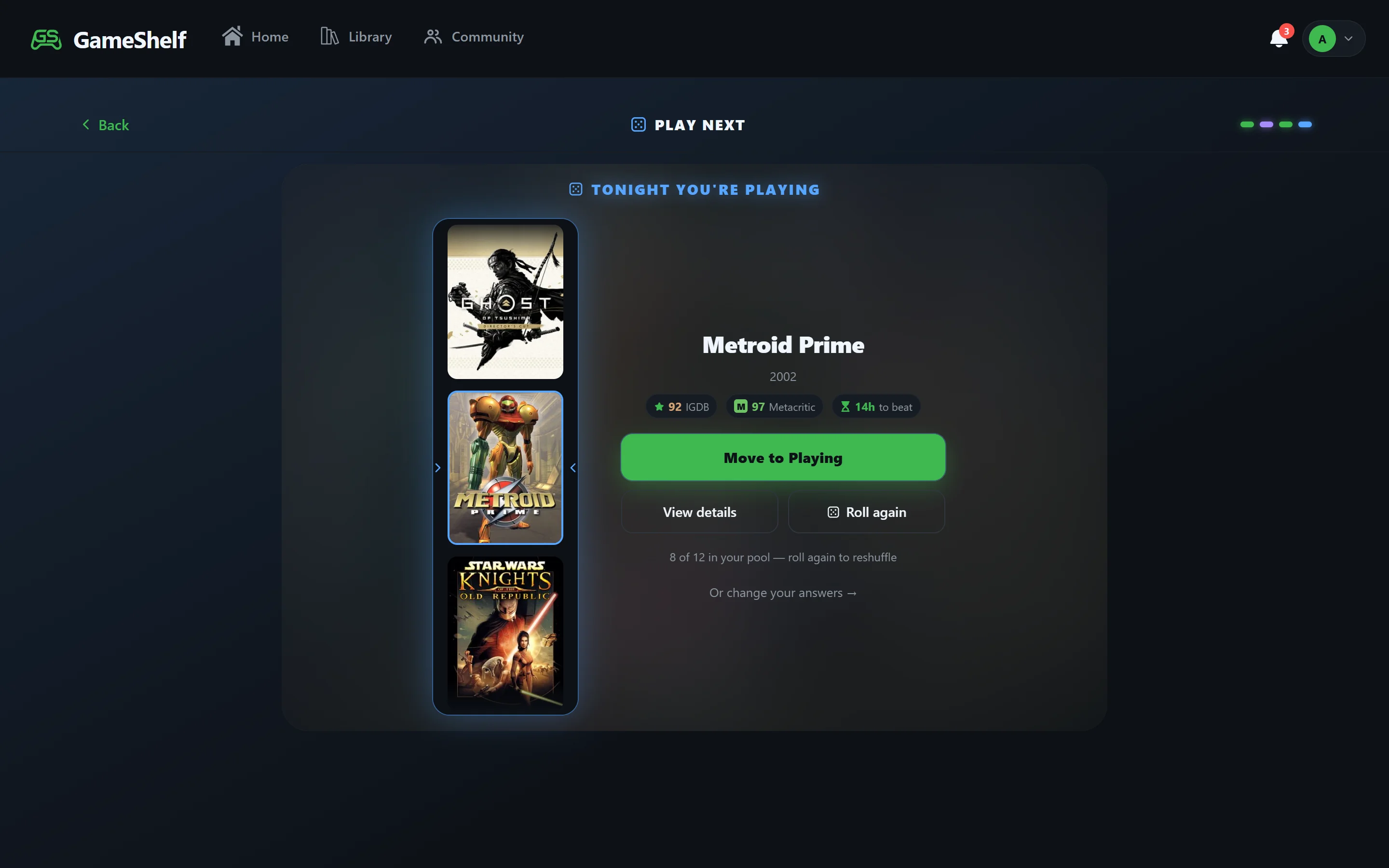
Stop scrolling, start playing
Play Next picks for you
Play Next spins your backlog and lands on one game, narrowed by the mood you’re in, how many hours you have, and how highly rated you want it to be.
See your progress
Your profile shows your collection counts, a gamer title based on your library, and badges for milestones like a 100-game backlog or your first 100% completion.
Try it
- Open GameShelf and sign in with Google — it’s free. You can also continue as a guest to look around first.
- Search for a game you’ve been meaning to play and mark it Backlog.
- Link Steam to bring in the rest, then open Play Next when you can’t decide.
Frequently asked questions
- What is a good free app to track my video game backlog?
- GameShelf (gameshelf.net) is a free game backlog tracker. You mark games as Backlog, Playing, Played, 100% Completed, Shelved, or Wishlist, see HowLongToBeat times and Metacritic scores for each, import your Steam library, and use the Play Next roulette to pick what to play.
- How do I organize my gaming backlog?
- On GameShelf, add every game you want to play with the Backlog status, group them into custom lists if you like, and check each game’s HowLongToBeat time and Metacritic score. When you can’t decide, Play Next picks one that fits your mood and the time you have.
- Can I import my Steam games into a backlog tracker?
- Yes. GameShelf imports the Steam games you’ve played, marks 100% completions from achievements, syncs your Steam wishlist, and suggests backlog games from the Steam games you own.
- Is GameShelf free?
- Yes. GameShelf is free to use, with no subscription or paid tier.
Build your shelf
GameShelf is free and runs in any browser on phone, tablet, or desktop.